































Two-Factor Authentication Explained: How 2FA Keeps You Safe
Two-factor authentication adds a second lock beyond your password. Here is how 2FA actually works, and why some methods protect you better than others.
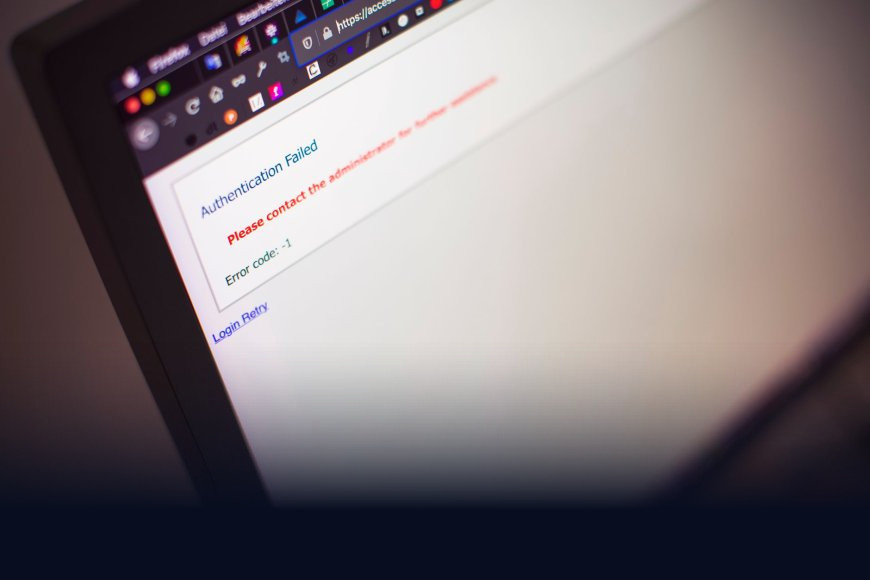
Your password just showed up in a data breach dump on some forum you've never heard of. Somewhere, a stranger is trying it on your email right now. If two-factor authentication is switched on, they get stopped at the door anyway. If it isn't, they're in.
That's the entire pitch for 2FA in one scenario, and it's why every bank, email provider and UPI app in India keeps nudging you to turn it on. But most people enable it once during setup and never think about how it actually works, or whether the method they picked is any good.
The idea behind a second lock
A password is "something you know." Anyone who learns it — through a leak, a guess, or a phishing page dressed up as your bank's login screen — can walk straight into your account. Two-factor authentication (2FA) adds a second, independent proof of identity: usually "something you have," like your phone, or "something you are," like a fingerprint.
The point isn't that the second factor is unbreakable. It's that an attacker now has to compromise two completely different things at once — your password and your phone, say — which is far harder to pull off at scale than just running leaked passwords through a script.
A stolen password is a lockpick. Two-factor authentication means there's a second door behind the first one, with a different lock entirely.
Not all 2FA is equally strong
This is the part most explainers skip, and it matters more than whether you have 2FA on at all:
- SMS OTP — a one-time password texted to your phone. Convenient, familiar to almost every Indian smartphone user thanks to UPI and net banking, but the weakest option. It's vulnerable to SIM swap fraud, where a scammer convinces your telecom operator to issue a duplicate SIM for your number and starts receiving your OTPs directly.
- Authenticator apps (Google Authenticator, Microsoft Authenticator, Authy) — these generate a fresh six-digit code every 30 seconds using a shared secret set up when you first scan a QR code. Nothing travels over the mobile network, so SIM swaps don't touch it.
- Push notifications — apps like your bank's or Google's send an "Is this you?" prompt to your phone instead of a code to type. Fast, but watch out for "MFA fatigue" attacks, where scammers spam you with prompts hoping you'll tap approve by accident.
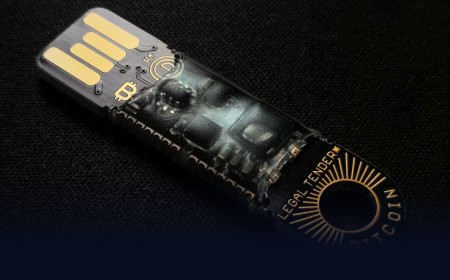
- Hardware security keys (YubiKey and similar) — a physical USB or NFC device you tap or plug in. The gold standard, because it's phishing-resistant: even if you're tricked onto a fake login page, the key checks the site's real address and simply won't respond to an impostor.
- Passkeys — a newer approach that folds both factors into one, using your device's fingerprint or face unlock tied to cryptographic keys instead of a password at all. Worth a read on its own if you haven't come across it — we've covered how passkeys work here.
Why this matters more in India than the headlines suggest
India already runs on a version of 2FA every time you make a card or UPI payment. The Reserve Bank of India has required an "Additional Factor of Authentication" on card transactions since 2009 — that's the OTP or PIN step beyond your card details, and it's one reason India's card fraud rates are lower than markets that skipped this requirement. Your UPI PIN itself functions as a second factor alongside your phone being registered to the app.
But SIM swap fraud has grown alongside this system, precisely because SMS OTP is still the default for banking and most Indian apps. Telecom fraud complaints involving duplicate SIM issuance are a recurring category in cybercrime reports from state police cyber cells. If your bank, email, or trading account offers an authenticator-app option instead of SMS, it's worth the two minutes to switch — especially for anything tied to money.
Setting it up without the headache
You don't need to overhaul every account today. Start with the ones that matter most:
- Your primary email — it's the recovery route into almost everything else you own.
- Your password manager, if you use one (and you should — here's why).
- Banking, UPI, and trading or demat apps.
- Any account tied to your work, especially cloud storage or your company email.
For each, look in security settings for "two-factor authentication" or "2-step verification," and prefer an authenticator app over SMS wherever it's offered. Most apps let you set both up and use the app as your default with SMS as a backup — that combination covers you even if you lose your phone.
The real takeaway
2FA isn't a checkbox you tick once and forget — the method you pick actually changes how safe you are. SMS is better than nothing, an authenticator app is better than SMS, and a hardware key or passkey beats both. Upgrade the accounts that would hurt the most if someone got in, and you've closed off the easiest way most break-ins actually happen: a leaked password, used alone.
What's Your Reaction?
 Like
0
Like
0
 Dislike
0
Dislike
0
 Love
0
Love
0
 Funny
0
Funny
0
 Angry
0
Angry
0
 Sad
0
Sad
0
 Wow
0
Wow
0