









































What Is CI/CD? A Plain-English Guide to Shipping Software
CI/CD explained simply: how automated testing and deployment pipelines help developers, including Indian startups, ship code faster and safer.
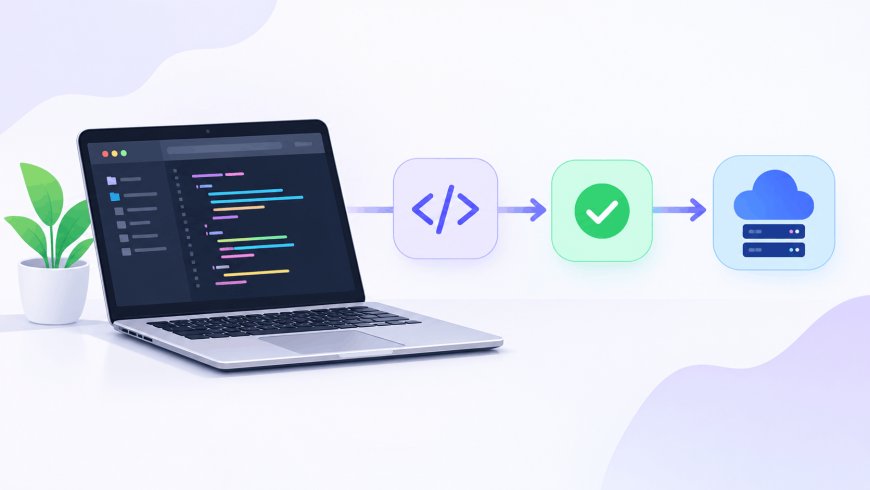
You push a code change at 11 PM, go make chai, and by the time you're back, it's already running in production — tested, built, and deployed without you touching a single server. No one stayed up to do it manually. That's CI/CD doing its job quietly in the background, and it's the reason modern software teams can ship multiple times a day instead of once a month.
What "continuous integration" actually means
Continuous Integration, or CI, is the practice of merging every developer's code changes into a shared repository (the central codebase everyone works from) frequently — often several times a day — and running automated checks each time. The moment someone pushes code, a CI system automatically runs the test suite, checks the code style, and flags anything broken before it spreads further.
Before CI became standard, teams would let changes pile up for weeks, then spend days untangling conflicts when they finally tried to combine everyone's work — a process developers used to half-joke was worse than the actual coding. Frequent integration means problems surface in hours, not weeks, when they're far cheaper to fix.
Where "continuous deployment" picks up
Continuous Delivery and Continuous Deployment are the second half of the acronym, and people often blur the two. Continuous Delivery means code is always in a state that's ready to release, but a human still clicks the button to push it live. Continuous Deployment removes that click entirely — if the code passes every automated check, it goes straight to users with no manual approval step.
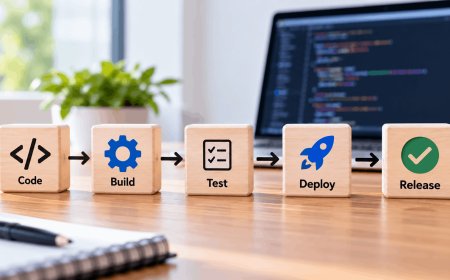
Put together, a typical pipeline (the automated sequence a piece of code travels through, from "just written" to "live for users") looks something like this:
- A developer pushes code to the repository
- Automated linting checks the code follows style rules
- The test suite runs to catch broken functionality
- The application is built into a deployable package (often a container, using tools like Docker)
- It's deployed to a staging environment — a private copy of production for final checks
- If everything passes, it rolls out to real users, sometimes gradually to a small percentage first
Tools like GitHub Actions, GitLab CI, and Jenkins are what actually run these steps, triggered automatically every time code changes.
Continuous Integration doesn't get rid of bugs, it makes them dramatically easier to find and remove. — Martin Fowler
That line captures the real value well. CI/CD isn't magic that produces bug-free software; it's a safety net that shrinks the gap between writing a mistake and discovering it.
Why this matters if you're building software in India
This isn't just a Silicon Valley concern. Walk into any product-based startup in Bengaluru, Hyderabad, or Pune today, and a working knowledge of CI/CD tools is close to a baseline expectation for backend and full-stack roles — it shows up constantly in job listings right alongside "Git" and "REST APIs." Large IT services firms like TCS, Infosys, and Wipro have also pushed hard on DevOps adoption for client projects, since clients increasingly expect fast, reliable release cycles rather than quarterly software drops.
What makes this genuinely accessible for Indian developers and bootstrapped startups is cost: GitHub Actions gives free CI/CD minutes on public repositories and a generous allowance even on private ones, so a solo developer or a three-person startup in Tier 2 India can run a professional-grade pipeline without paying for dedicated infrastructure. For students building portfolio projects, setting up even a basic pipeline — tests running automatically on every push — is one of the more practical ways to stand out in placements, since it signals real engineering habits rather than just working code.
Getting started without overengineering it
The common mistake is assuming CI/CD requires an elaborate setup from day one. It doesn't. A sensible starting point:
- Add a config file (like a GitHub Actions workflow) that just runs your existing tests on every push
- Once that's stable, add automatic linting
- Add an automated build step
- Only then consider automatic deployment — and even then, start with a staging environment before touching production traffic
You don't need Netflix-scale infrastructure to benefit from this. Even a single automated test run on every commit catches the kind of silly mistakes — a typo, a forgotten import, a broken function signature — that otherwise slip through and surface as a 2 AM bug report. Start with the smallest possible pipeline that actually runs, then build on it once it's proven useful, not before.
What's Your Reaction?
 Like
0
Like
0
 Dislike
0
Dislike
0
 Love
0
Love
0
 Funny
0
Funny
0
 Angry
0
Angry
0
 Sad
0
Sad
0
 Wow
0
Wow
0