










































What Is WebAssembly? How Browsers Run Near-Native Code
WebAssembly lets browsers run code almost as fast as a native app. Here's how it works, and why it matters for apps built in India.

Open Figma, AutoCAD Web, or Google Earth in a plain browser tab and you're watching something that, by the old rules of the web, shouldn't be possible: desktop-grade software running at near-desktop speed, with nothing installed and no admin rights requested. The quiet technology doing the heavy lifting behind most of these is called WebAssembly, and almost nobody using it has heard the name.
So what is WebAssembly, in plain terms?
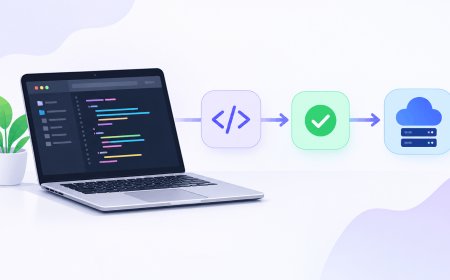
WebAssembly, usually shortened to WASM, is a compact binary format that browsers can run almost as fast as code built specifically for your device's processor. Normally, a browser only speaks JavaScript, a flexible language it has to read line by line and figure out on the fly, which takes time. WebAssembly skips most of that translation step. A developer writes code in a language like C++, Rust, or Go, runs it through a compiler (the tool that turns human-readable code into machine instructions), and gets back a small binary file the browser can load and execute almost immediately, inside a sandbox — a locked-down zone where that code can't reach your files or anything else on your device outside the browser tab.
It isn't a replacement for JavaScript, and it was never meant to be. The two typically work side by side: JavaScript still runs the page, the buttons, the layout. WebAssembly takes over the parts that genuinely need speed — video editing, 3D rendering, physics engines, cryptographic calculations — the kind of job that, a decade ago, meant telling users "please download our app" instead.
It's not a virtual machine, and it's not a container either
It's worth separating WebAssembly from two ideas people often lump it in with. A virtual machine simulates an entire computer, operating system included, which is powerful but heavy — it can take gigabytes of space and a slow boot. A container, the concept behind tools like Docker (which Code24 has explained in more detail before), packages an app with just enough of an operating system around it to run consistently across different servers. WebAssembly does neither. It doesn't emulate hardware and doesn't carry an operating system along with it — it's simply a fast, portable, sandboxed way to run one specific piece of logic, whether that's inside a browser tab, on a server, or increasingly on smaller connected devices.
If JavaScript is a script the browser has to translate as it goes, WebAssembly is more like a sealed module the browser can run almost exactly as it was handed over.
Why this actually matters for Indian developers and users
This isn't just a Silicon Valley curiosity. A huge share of Indian internet users are still on budget Android phones and variable 4G speeds, where a bulky native app download is a real cost in storage space and mobile data — both of which matter a lot more here than in markets where unlimited broadband and 256GB phones are the default. WebAssembly lets a company ship one browser-based product that performs close to a native app, without asking a user in a smaller city to clear phone storage or burn through a data pack just to try it. EdTech platforms running interactive science simulations, fintech dashboards doing heavy client-side chart rendering, and design tools aimed at India's fast-growing freelance and creator economy are quietly leaning on exactly this.
There's a hiring angle too. As more Indian product companies and GCCs (global capability centres — the India-based engineering arms of multinational firms) build performance-sensitive web products, familiarity with compiling Rust or C++ to WebAssembly is turning into a genuine differentiator on a resume, not just a JavaScript-framework checklist item.
Where you're probably already using it
A few concrete, everyday examples make this less abstract:
- Design and editing tools — Figma's canvas rendering and Canva's heavier editing features lean on WebAssembly to feel responsive in a browser tab.
- Browser-based games — titles that once needed a console or a beefy PC now run in-browser at playable frame rates, no plugin required.
- Developer tools running locally in-browser — code playgrounds and data tools that execute real compiled code client-side, without sending anything to a server.
- Video and image processing — some web-based editors do compression, filters, and format conversion entirely on your device, which is also better for privacy since the file never leaves your browser.
The practical takeaway
You don't need to learn WebAssembly to benefit from it, in the same way you've never needed to understand TCP/IP to send a WhatsApp message. But if you're building anything web-based that feels sluggish doing real computation — image processing, simulations, anything math- or graphics-heavy — WebAssembly is usually the reason the competitor's version feels instant while yours spins a loading wheel. For developers specifically, it's a genuinely low-risk skill to pick up: you don't need to rewrite an entire app, just compile the one slow, CPU-heavy module to WASM and drop it in alongside your existing JavaScript. That's usually where the biggest speed win is sitting, untouched.
What's Your Reaction?
 Like
0
 Dislike
0
 Love
0
 Funny
0
 Angry
0
 Sad
0
 Wow
0