






































Apple Fixes iPhone Zero-Day That Needed Just One Malicious PDF
Apple patched an iPhone zero-day exploited via a malicious PDF in targeted attacks. Here's what it means and why Indian users should update now.
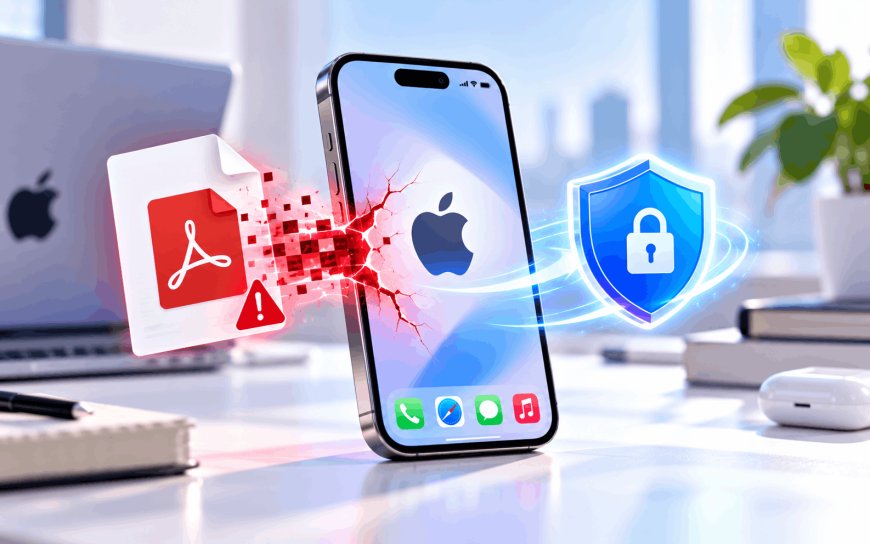
A single PDF file was all it took. No link to click, no app to install — just a file landing in someone's chats, and their iPhone was quietly compromised. Apple confirmed last week that this was happening in the real world, and the fix is already sitting in your phone's software update screen.
What actually went wrong
The bug, tracked as CVE-2026-86950, lived inside CoreGraphics — the part of Apple's software that every app relies on to draw text, render images, and open documents. Researchers traced it to an integer overflow in the font glyph rasterizer, the bit of code that turns the shapes of letters into pixels on your screen. In practice, that meant a specially crafted file could trick the phone into writing data past the memory boundary it was supposed to stay inside — what security researchers call an "out-of-bounds write," essentially tricking the software into scribbling outside its assigned space, which an attacker can use to run their own code instead.
A credible theory doing the rounds among researchers is that the attack file was disguised as an ordinary PDF and delivered through WhatsApp, since previews and file-opening in chat apps are exactly the kind of everyday action that triggers this sort of flaw without the victim doing anything unusual.
Not a mass attack, but a serious one
This wasn't ransomware or a phishing campaign aimed at millions of people. Apple credited Meta's own security team with finding it, and was blunt about who it hit.
"Apple is aware of a report that this issue may have been exploited in an extremely sophisticated attack against specific targeted individuals on versions of iOS before iOS 27."
That phrasing — "specific targeted individuals" — is Apple's standard way of flagging spyware-style attacks, the kind usually aimed at journalists, activists, diplomats, or executives rather than random users. It's the seventh zero-day (a flaw being actively exploited before a patch existed) Apple has had to fix in 2026, following a string of similar bugs in Chrome, Pixel's modem firmware, and enterprise networking gear that Code24 has covered through the year.
Why this lands differently in India
WhatsApp isn't a side messaging app in India — it's closer to default infrastructure. Government departments share documents over it, small businesses run entire customer support operations through it, and PDF attachments move around constantly for everything from exam admit cards to loan paperwork. A flaw that can be triggered just by a chat app rendering a file is a bigger deal in a market where that chat app is also how people receive bills, tickets, and official notices.
CERT-In, the government's nodal cybersecurity response agency, routinely issues advisories for exactly this category of bug, and this one has already been added to the US CISA's Known Exploited Vulnerabilities list — the official register of bugs confirmed to be used in real attacks, which pushes government agencies worldwide to patch on a deadline. Indian enterprises and government bodies that manage fleets of iPhones should treat this the same way: not optional, not "whenever."
What to actually do about it
- Update to iOS 26.7.1 or iPadOS 26.7.1 if you're on an iPhone or iPad.
- Mac users need macOS Tahoe 26.7.1 or macOS Sequoia 15.8.1, depending on which version you run.
- Go to Settings → General → Software Update and install it today rather than waiting for the automatic overnight update.
- If you're a journalist, activist, or someone who handles sensitive work communication, consider turning on Lockdown Mode in Settings → Privacy & Security, which restricts exactly this kind of file-rendering attack surface.
Most people reading this were never the target. But the pattern is the one worth sitting with: the most dangerous phone exploits increasingly don't need you to make a mistake at all. They just need you to receive a file in an app you already trust completely.
What's Your Reaction?
 Like
0
Like
0
 Dislike
0
Dislike
0
 Love
0
Love
0
 Funny
0
Funny
0
 Angry
0
Angry
0
 Sad
0
Sad
0
 Wow
0
Wow
0