




































Git 2.56 Released: Safer Merge Conflicts, Faster Branch Cleanup
Git 2.56 adds a safer merge-conflict check, faster branch cleanup, and quicker bisect — plus what it means for Indian developers.
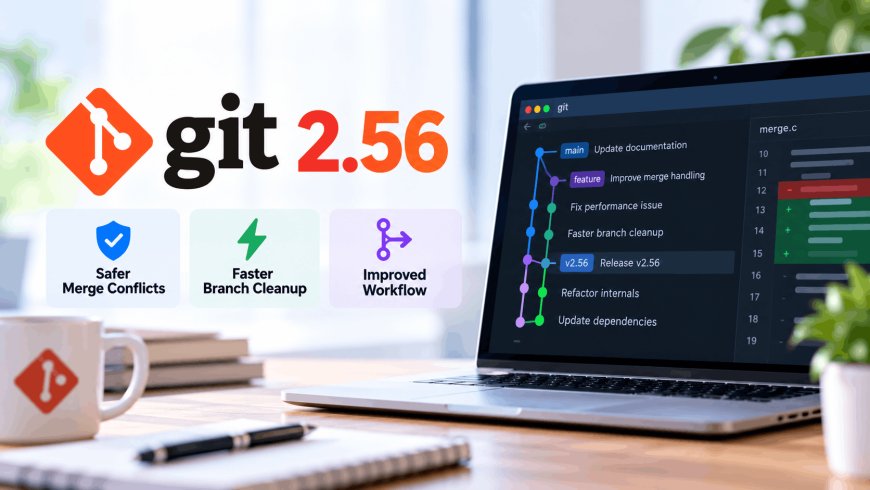
Merge conflicts are the one part of Git that still makes people sweat, even after years of using it. Git 2.56, released on September 28, adds a small safeguard for exactly that moment, along with a handful of other changes that quietly make the tool harder to mess up.
What actually changed
The headline feature is a new flag on a command almost every developer runs several times a day. When you resolve a merge conflict, Git now lets you type git add --resolved instead of a plain git add. The difference: it scans the file for leftover conflict markers (those <<<<<<< and ======= lines Git inserts to show where two versions clash) and refuses to stage the file if it finds any you forgot to clean up. It also leaves any unrelated local edits in that file untouched, so you're not forced to stage everything at once just to mark a conflict as resolved.
A few other additions round out the release:
- git history drop — removes a specific commit from your branch and automatically replays everything after it onto the commit's parent, without the usual manual rebase dance.
- git branch --delete-merged — cleans up every local branch that's already been merged into its remote-tracking branch, useful if your repository is cluttered with old feature branches.
- git bisect --reset-when-found — when you're hunting for the commit that introduced a bug, this automatically returns you to your original branch (or jumps straight to the guilty commit) once bisect finds it.
- An expanded git refs command that can now create, rename, and delete references directly, and a leaner way for
git cat-fileto fetch just metadata over a partial clone (a clone that skips downloading a repository's full history to save time and bandwidth).
GitHub's engineering team also reports meaningfully faster merge-base calculations — the internal check Git runs to figure out the common ancestor of two branches — on very large repositories, which matters more than it sounds once a codebase has tens of thousands of commits.
A release built by more first-timers than usual
Git 2.56 shipped with 748 non-merge commits from 104 different developers, and Git's own release notes point out that 39 of them, more than a third, were contributing to the project for the first time.
A version control tool that quietly gets safer with every release is doing exactly what good infrastructure is supposed to do: disappear into the background instead of demanding attention.
That first-timer ratio lines up with something GitHub's own Octoverse research has been tracking all year: developer growth on the platform is increasingly coming from outside the US. GitHub reported roughly 5.2 million new developers from India alone in 2025, one of the platform's fastest-growing user bases anywhere, alongside Brazil and Indonesia.
Why this matters beyond the changelog
For India's software industry, this isn't a footnote. With engineering teams in Bengaluru, Hyderabad, and Pune increasingly maintaining large shared repositories, and a growing number of Indian engineers making their first open-source commits on exactly the kind of projects Git itself is, small workflow fixes like a safer git add or one-command branch cleanup save real time across thousands of teams, not just at GitHub-scale companies. If you're still getting comfortable with the fundamentals before any of this feels relevant, our rundown of the ten Git commands every developer should know is a reasonable place to start.
None of this is flashy. There's no AI angle, no funding round, no breach disclosure. It's a version control tool getting marginally safer and a little faster, built in public by a community where more than a third of this release's contributors had never sent Git a patch before. That's a healthier signal for the long-term state of open source than most single feature launches manage to be.
What's Your Reaction?
 Like
0
Like
0
 Dislike
0
Dislike
0
 Love
0
Love
0
 Funny
0
Funny
0
 Angry
0
Angry
0
 Sad
0
Sad
0
 Wow
0
Wow
0