







































What Is Kubernetes? A Plain-English Guide to Container Orchestration
Kubernetes keeps apps running at scale by auto-healing, scaling, and load-balancing containers. Here is how it works, plain and simple.
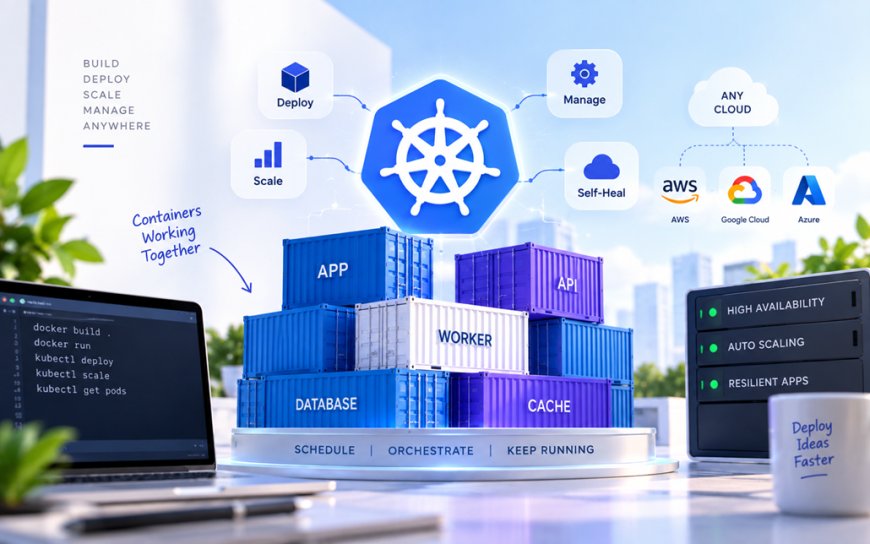
Picture a food delivery app on a Friday night. Orders are pouring in from Bengaluru to Bhubaneswar, and somewhere behind the scenes, dozens of tiny software services are juggling payments, restaurant menus, and live rider tracking all at once. If one of those services crashes under the load, something has to notice, kill it, and start a fresh copy in seconds — without a human touching a keyboard. That "something" is usually Kubernetes.
If you've read about what Docker is and how containers differ from virtual machines, Kubernetes is the natural next question: once your app is packaged into containers, who actually runs hundreds of them reliably, all day, every day? That's the job Kubernetes was built for.
So what exactly is Kubernetes?
Kubernetes (often shortened to "K8s" — count the eight letters between the K and the s) is an open-source system for running and managing containers at scale. Google built it internally to run its own services, then released it publicly in 2014, and it's now maintained by the Cloud Native Computing Foundation with contributions from Google, Microsoft, Red Hat, and thousands of independent engineers.
A container, for anyone new to the term, is a lightweight, self-contained package that holds an application and everything it needs to run — code, libraries, settings — so it behaves the same whether it's on a developer's laptop or a data center server. Kubernetes doesn't create containers itself; it takes containers someone else built (often with Docker) and decides where they run, how many copies exist, and what happens when one fails.
Kubernetes doesn't ask "how do I build a container?" It asks "given a thousand containers, how do I keep all of them alive, balanced, and talking to each other without anyone babysitting them?"
The problem it actually solves
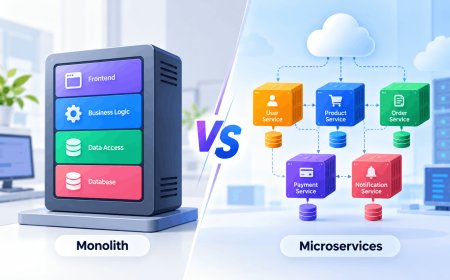
Running one container is easy. Running one container is basically a solved problem with a single command. The trouble starts when an application is split into many small services — a pattern called microservices — and each of those needs several running copies spread across multiple machines for reliability.
Without an orchestrator, a team would have to manually track which server has room for a new container, restart anything that crashes, route traffic to healthy copies only, and roll out updates without downtime. Kubernetes automates all of that. Some of its core jobs:
- Scheduling — deciding which physical or virtual machine in a cluster has enough spare memory and CPU to run a given container.
- Self-healing — if a container crashes or a server goes down, Kubernetes notices and starts a replacement automatically.
- Scaling — automatically adding more copies of a service when traffic spikes, and removing them when things quiet down, so you're not paying for idle servers.
- Load balancing — spreading incoming requests evenly across all healthy copies of a service.
- Rolling updates — pushing out a new version of an app gradually, so a bad deploy affects a handful of users instead of everyone at once.
Why this matters for India's tech scene specifically
This isn't just an American Big Tech concern. Indian consumer apps regularly deal with the kind of extreme, spiky traffic Kubernetes was designed for — think of the load on a ticketing platform during an IPL final, an e-commerce app during a Big Billion Days or Great Indian Festival sale, or a UPI-linked payment app during month-end salary credits. Several Indian unicorns and scale-ups run large parts of their infrastructure on Kubernetes, whether self-managed or through managed offerings from AWS, Google Cloud, Microsoft Azure, or homegrown providers.
There's also a cost angle that matters more in India than in markets with deeper cloud budgets. Cloud bills are paid in dollars but earned in rupees, and every rupee of "idle server" cost hurts margins more when unit economics are already tight. Kubernetes' ability to automatically scale services down during off-peak hours, and pack many small workloads efficiently onto fewer machines, is a genuine lever for controlling cloud spend — not just an engineering nicety. It's also become a standard, in-demand skill on Indian job boards; DevOps and platform engineering roles asking for Kubernetes experience have grown steadily at Indian product companies and GCCs (global capability centers) setting up in cities like Pune, Hyderabad, and Gurugram.
A few things Kubernetes is not
It's worth clearing up some common confusion, because the name gets used loosely:
- Kubernetes is not a replacement for Docker — it's a layer above it. You still typically build your container image with Docker (or a similar tool) and then hand it to Kubernetes to run.
- It's not only for giant companies. Smaller teams use lightweight distributions like K3s or managed cloud versions to get the same self-healing and scaling benefits without running their own massive cluster.
- It doesn't make an application faster. It makes an application more resilient and easier to scale — the code still has to be reasonably well-written to begin with.
Should you actually bother learning it?
If you're a developer building anything that needs to survive real-world traffic and occasional failure — which is most production software today — Kubernetes concepts show up constantly in job listings, system design interviews, and everyday tooling. You don't need to memorize every command on day one. Start by understanding the vocabulary: a pod is the smallest deployable unit (usually one or a few tightly coupled containers), a node is a machine in the cluster, and a cluster is the whole collection of nodes Kubernetes manages together.
The bigger takeaway is this: Kubernetes became popular not because it's clever technology for its own sake, but because it turns "keeping an app alive under unpredictable load" from a 3 a.m. pager alert into something that mostly handles itself. That's a trade worth understanding even if you never write a line of YAML configuration yourself.
What's Your Reaction?
 Like
0
Like
0
 Dislike
0
Dislike
0
 Love
0
Love
0
 Funny
0
Funny
0
 Angry
0
Angry
0
 Sad
0
Sad
0
 Wow
0
Wow
0