









































Cloud Storage vs Local Storage: Which One Should You Actually Trust?
Cloud storage vs local storage: how each really works, the real tradeoffs, and what matters most for Indian users with sensitive files.

Your phone says storage full again, and now you're stuck choosing between deleting three years of photos or paying a monthly fee for more space "in the cloud." Before you pick either, it helps to actually know where your files go in each case — because these aren't just two prices for the same thing.
What "The Cloud" Actually Is
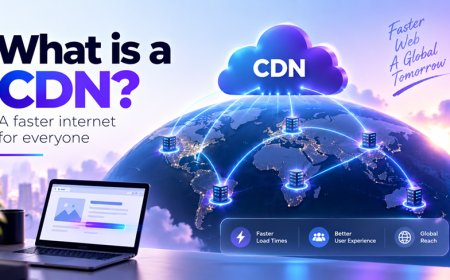
Local storage is easy to picture: your files sit on a physical memory chip inside your phone, laptop, or an external hard drive you can hold in your hand. Cloud storage sounds abstract, but it's really the same idea at a different address. Your photos and documents live on a hard drive inside a data center somewhere, owned by a company like Google, Apple, Amazon, or an Indian provider, and you reach them over the internet instead of a cable.
When an app says it's "syncing," it means it's quietly copying your files back and forth between your device and that distant server so both copies stay identical. That's genuinely useful — lose your phone, and your photos are still sitting safely on someone else's servers. But it also means a company you don't control now holds a copy of everything you stored with it.
The Tradeoffs the Pricing Page Doesn't Mention
Cloud storage wins on convenience: you can open the same file from your phone, laptop, or a friend's computer, and your data survives even if your device doesn't. Local storage wins on control: no subscription, no dependence on your internet connection, and no company quietly scanning your files for "safety" checks or ad targeting.
- Speed: local storage is instant; cloud storage depends on your internet connection, which still varies enormously between Indian metros and smaller towns.
- Cost: local storage is a one-time purchase; cloud storage is a recurring bill that creeps up as your photo library grows.
- Risk of loss: a dropped phone can wipe out local storage entirely; cloud providers keep multiple copies across servers, so one hardware failure rarely means losing everything.
- Privacy: local storage never leaves your hands unless you choose to share it; cloud storage means trusting someone else's servers, staff, and security practices.
The safest backup habit was never "pick one." It's keeping anything you can't afford to lose in at least two places that can't both fail on the same bad day.
Why This Question Looks Different From India
Most "cloud vs local" explainers are written for people with unlimited home broadband, which skips over a few very real Indian complications. Mobile data in India is cheap by global standards, but daily data caps still make syncing a phone full of 4K videos genuinely painful outside the big metros — for a lot of users, backing up over home Wi-Fi or keeping a local backup on a laptop is simply more realistic than constant cloud sync.
There's a regulatory layer too. Under India's Digital Personal Data Protection (DPDP) Act, companies handling your personal data have specific obligations around consent and how that data is used, and the Reserve Bank of India separately requires payment-related data to be stored on servers physically located in India. That doesn't stop you from using an international cloud service for your photos, but it's a reminder that where your data physically sits isn't only a technical detail — sometimes it's a legal one.
Then there's the very common Indian habit of keeping scanned Aadhaar cards, PAN cards, and mark sheets sitting in a phone's gallery "just in case." That's exactly the kind of file worth treating with more care than a holiday photo. Reputable cloud services generally encrypt your data — scrambling it into unreadable code that only the right digital key can unlock — both while it's traveling to their servers and while it sits there. But an unlocked phone with cloud apps left open is often a bigger risk than the storage method itself.
A Simple Way to Decide
You don't actually have to pick a side. Most people who think they've chosen "cloud" or "local" have just never sat down to sort their files by how much each one actually matters.
- Anything replaceable (app installers, downloaded videos, screenshots you'll forget by next week) — local storage is fine, delete freely.
- Anything irreplaceable (family photos, your only copy of a thesis, years of chat backups) — put it in the cloud, or at minimum on a second device, not just one phone.
- Anything sensitive (ID scans, banking documents, medical records) — keep it minimal wherever it lives, use a password manager or a locked app rather than a plain gallery folder, and turn on two-factor authentication on the cloud account holding it.
The question was never really cloud versus local. It's whether you've actually decided which of your files deserve which kind of protection — or whether your storage app has just been deciding that for you by default.
What's Your Reaction?
 Like
0
Like
0
 Dislike
0
Dislike
0
 Love
0
Love
0
 Funny
0
Funny
0
 Angry
0
Angry
0
 Sad
0
Sad
0
 Wow
0
Wow
0