


































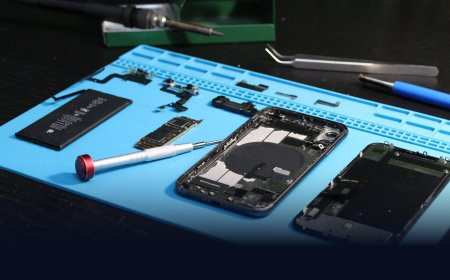

Rooting vs Jailbreaking: Why Your UPI App Stops Working
What rooting and jailbreaking actually do to your phone, and why UPI apps like Google Pay and PhonePe refuse to work on a rooted device.

Root your Android phone to kill the bloatware your manufacturer won't let you uninstall, and the next thing that happens is your bank's app refusing to open. That's not a bug. It's the whole point of what rooting and jailbreaking actually do to a phone.
Both words get thrown around loosely, and plenty of people use them interchangeably even though they describe two different operating systems with two very different levels of difficulty. If you've ever wondered why your cousin's "jailbroken" iPhone looks nothing like your friend's "rooted" Android, or why Google Pay suddenly stopped working after you installed a custom ROM, here's what's actually going on under the hood.
What rooting and jailbreaking actually mean
Every phone ships with a layer of restrictions baked in by the manufacturer. You can install apps from the official store, change wallpapers, tweak a few settings — but you can't touch the operating system's core files, and you can't grant an app full control over the device. That's by design, and it's what keeps a random app from reading your messages or deleting system files by accident.
Rooting (on Android) and jailbreaking (on iPhone) are two different techniques for removing that restriction and getting what's called root access — essentially admin-level control over the entire operating system, the same level of access the manufacturer itself has. Once you have it, you can delete pre-installed apps, block ads system-wide, install custom versions of Android, or tweak settings Apple and Google never intended to expose.
- Rooting (Android): Usually done through a tool like Magisk, which patches the phone's boot files to grant root privileges without permanently altering the system partition — this is why Magisk became popular, since it can hide the modification from apps that check for it.
- Jailbreaking (iPhone): Exploits a security flaw in iOS itself to bypass Apple's restrictions. Because Apple patches these flaws quickly and locks its ecosystem down far tighter than Android's, working jailbreaks now exist only for specific, often outdated iOS versions.
The gap between the two matters: Android was built to allow a degree of openness from day one — manufacturers themselves install custom software on top of it — which makes rooting comparatively approachable. iOS was designed as a closed box, so jailbreaking has become rarer and shorter-lived with every update, to the point where it's now a niche hobby rather than a mainstream practice.
Why people actually do it
Nobody roots a phone just to say they did. The reasons tend to repeat:
- Removing bloatware — the pile of manufacturer and carrier apps you never asked for and can't normally uninstall.
- Installing custom ROMs — alternate versions of Android, often with longer software support than the phone's original manufacturer offers.
- Ad-blocking at the system level, instead of app by app.
- Squeezing extra life out of an old device that its maker has stopped updating.
- Fine-grained control over permissions, battery behavior, and features the stock software hides.
All of it is legal in India and most countries — you own the hardware, and modifying it isn't a crime. What it does do is void your manufacturer's warranty the moment you unlock the bootloader, and it opens the door to risks most people underestimate.
The part nobody warns you about: apps that simply refuse to run
Here's where this stops being an abstract tech debate and becomes a very concrete Indian problem. UPI apps — Google Pay, PhonePe, Paytm, your bank's own app — actively check whether a phone is rooted, and most will flat-out refuse to open, or block payments, if they detect it. Netflix and other streaming apps do the same for high-definition playback. The reasoning is straightforward: a rooted phone can have its security sandboxing bypassed by malicious apps, so on a compromised device, an app that reads your fingerprint, your UPI PIN, or your OTP is handing that data to anyone who wrote malware clever enough to ask for it.
Root access doesn't just unlock your phone for you — it unlocks it for anything else installed on it too.
Given how central UPI has become to daily life in India — bus tickets, vegetable vendors, and rent all run through it now — this is the single biggest practical reason rooting has fallen out of fashion among everyday users here, even as it remains popular among developers and phone enthusiasts who know how to work around the detection or keep a separate, unrooted device for banking.
Weighing it honestly
If you're still considering it, the trade-off looks roughly like this:
- Gain: full control, longer device lifespan via custom ROMs, no forced bloatware, deeper customization.
- Lose: warranty, often UPI/banking app functionality, Netflix HD streaming, and your phone's built-in security sandbox — the barrier that normally stops one app's problems from spreading to the rest of the device.
- Risk: a botched root attempt can "brick" a phone (make it permanently unusable), and malware designed for rooted devices has far more damage it can do once it's in.
For most people buying a phone to use, not to tinker with, the honest answer is: don't. The restrictions manufacturers put in place are annoying, but they're also the reason your banking app trusts the device enough to let you move money through it. If you do want the freedom rooting offers — a longer-lived custom ROM on an old budget phone, say — treat it as a deliberate trade-off, keep a separate device or profile for anything financial, and go in knowing exactly what you're giving up.
What's Your Reaction?
 Like
0
 Dislike
0
 Love
0
 Funny
0
 Angry
0
 Sad
0
 Wow
0