



































USB-C Explained: Why Your Charger Finally Fits Everything
USB-C looks like one standard, but cables and chargers underneath vary wildly in speed and power — here's what actually determines charging speed.
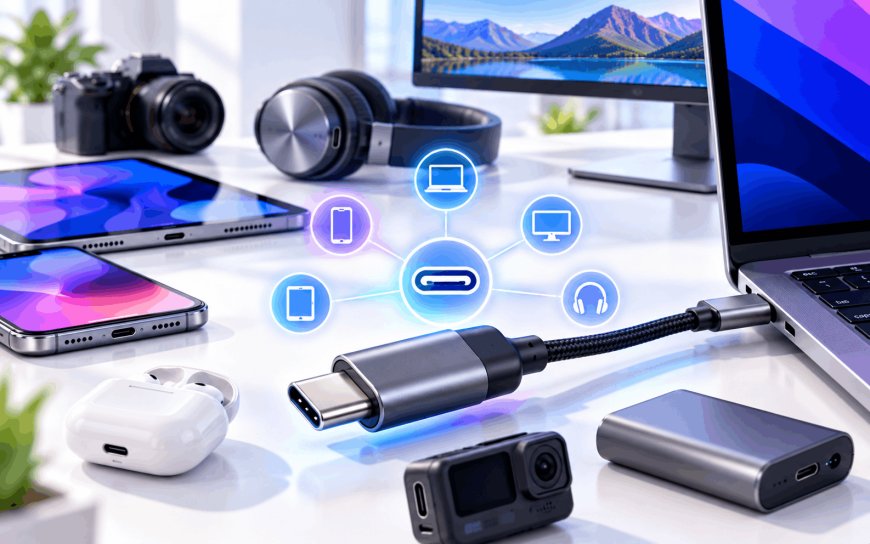
You buy a new phone, a laptop, and a power bank. All three have the same little oval-shaped port. All three cables look identical. And yet one combo charges your phone to 50% in fifteen minutes, and another takes an hour and a half with the exact same phone plugged in. Nothing about the plug tells you why. That's the trap USB-C sets for almost everyone who isn't paying close attention.
A Connector, Not a Promise
Here's the part that trips people up: "USB-C" describes the physical shape of the plug, not what's happening inside the wire. It's reversible, it's compact, and pretty much every phone, tablet, and laptop sold today uses it. But underneath that shape, you can find completely different generations of technology — USB 2.0 speeds from over two decades ago, USB 3.2 at ten times that speed, or Thunderbolt, a much faster protocol Intel and Apple co-developed that can drive external monitors and super-fast external drives through the same little port.
So when someone hands you a "USB-C cable," that tells you almost nothing about what it can actually do. Two cables can look byte-for-byte identical and still behave completely differently once you plug them in.
What "Fast Charging" Actually Means
Charging speed comes down to three things working together: the charger (brick), the cable, and the device, all agreeing on a protocol called USB Power Delivery, or PD for short. Think of PD as a handshake — your phone tells the charger "I can accept up to 45 watts," the charger replies with what it can offer, and they settle on a safe middle ground. Newer phones use a refinement of this called PPS (Programmable Power Supply), which lets voltage and current adjust in smaller steps for faster, cooler charging.
The catch is that cheap cables often skip the small identification chip that's supposed to sit inside a proper USB-C cable, or they use thinner wiring than the wattage requires. The charger and phone still "talk," but at a throttled, conservative speed, because the cable can't safely confirm it can handle more. At best, you just charge slowly. At worst, a badly made cable undersized for the current it's carrying can run hot enough to be a genuine fire risk.
A USB-C cable isn't one product. It's a label stuck on several completely different products that happen to share the same plug shape.
The India Angle: Why This Matters More Here Right Now
This isn't just trivia for gadget nerds — it has real weight in the Indian market specifically. The Bureau of Indian Standards (BIS), the government body that sets technical standards for products sold in the country, has pushed through rules requiring USB Type-C as the standard charging port for smartphones, tablets, and similar devices, mirroring a similar mandate the European Union rolled out earlier. The stated goal is less e-waste from everyone owning a drawer full of incompatible chargers.
But a single standard port creates its own problem: a massive, largely unregulated market of cheap, interchangeable-looking cables. Walk through markets like Lamington Road in Mumbai or Nehru Place in Delhi, or scroll through budget listings on any e-commerce app, and you'll find USB-C cables priced at a fraction of what a branded one costs — some of them fine for basic charging, some of them not rated for anywhere near the wattage your fast-charging phone wants to pull. For Indian consumers who often buy phone, charger, and cable from three different sellers rather than one branded bundle, knowing what to actually check for matters more than it does in markets where devices still ship with a matched charger in the box.
How to Actually Buy the Right One
- Match the wattage to your device. A phone that fast-charges at 45W gets no benefit from a cable or brick rated for only 18W — it'll just charge at the lower number.
- Check for an e-marker chip on higher-power cables. Cables rated above 60W are required to include this identification chip; cheap cables skipping it is a common corner cut.
- Don't assume "USB-C to USB-C" means fast data transfer. A cable can charge at full speed and still only move data at old USB 2.0 speeds — check the specific product listing, not just the plug shape.
- Buy from sellers who publish real specifications (wattage, cable generation, length) rather than listings that just say "fast charging cable" with no numbers attached.
The larger point is that standardizing the plug was only ever half the job. USB-C succeeded at making one shape fit nearly everything, which is genuinely useful — no more hunting for the one proprietary charger that fits your specific device. But it also moved the real differences underneath the surface, where you can't see them just by looking at the cable in your hand. Next time you're charging slower than expected, the port isn't lying to you — the cable probably is.
What's Your Reaction?
 Like
0
Like
0
 Dislike
0
Dislike
0
 Love
0
Love
0
 Funny
0
Funny
0
 Angry
0
Angry
0
 Sad
0
Sad
0
 Wow
0
Wow
0