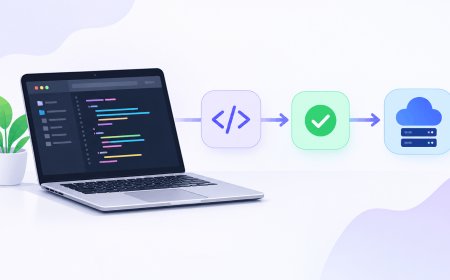











































What Is a JWT? How Your Login Stays Signed In
JWT quietly keeps you logged into apps like UPI and fintech platforms — here is how the token actually works, and where it can fail.

Open your browser's dev tools on almost any app you're logged into right now, poke around in local storage or the request headers, and there's a decent chance you'll find a long string starting with "eyJ" sitting quietly in there. That's a JWT, and it's probably the reason the app still knows who you are without asking you to log in every time you click something.
What a JWT Actually Is
JWT stands for JSON Web Token, and despite the intimidating name, it's really just a compact, self-contained way of proving "yes, this person logged in, and here's some basic info about them." It's not encrypted by default — it's encoded, which is a different thing. Encoding just rearranges data into a standard format (base64, in this case) so systems can read it consistently; it doesn't hide the contents. Anyone can paste a JWT into a decoder website and read exactly what's inside.
A JWT has three parts separated by dots: a header (which algorithm was used), a payload (the actual claims — your user ID, maybe your role, an expiry time), and a signature. The signature is the part that matters for security. It's created by running the header and payload through a secret key the server holds, and it's what lets the server later verify the token wasn't tampered with. Change even one character of the payload, and the signature no longer matches — the server rejects it instantly.
Why This Replaced the Old Way of Doing Logins
Before JWTs became the default, most apps used server-side sessions: you log in, the server creates a session record in its database, and hands you a session ID in a cookie. Every request after that, the server looks up that ID in its database to check who you are. That works fine, but it means the server has to store and check something for every single logged-in user, on every single request — which gets expensive once you're running multiple servers behind a load balancer (software that spreads incoming traffic across several servers) and they all need to agree on who's logged in.
A JWT flips that around. The server doesn't store anything. It just checks the signature on the token you send back with each request. If the signature is valid, the server trusts the claims inside without hitting a database at all. This is why JWTs took off alongside the shift toward distributed, API-driven architectures — mobile apps calling backend APIs, microservices talking to each other, single-page web apps that need to stay fast.
A JWT doesn't ask "do I trust this request" — it asks "can I verify this signature," which is a much cheaper question to answer a million times a second.
Where It Actually Shows Up in India
If you've used a UPI app, checked your mutual fund portfolio on a broker's app, or paid an electricity bill through a fintech startup's platform, there's a strong chance a JWT was issued the moment you logged in and quietly attached to every API call your phone made afterward. It's become close to the default choice for Indian product and fintech companies building mobile-first apps, partly because it plays so well with the OAuth-style consent flows that govern how apps request access to your data. It also shows up constantly in technical interviews at Indian product companies — "explain how JWT authentication works" is a near-standard question for backend developer roles.
There's a real compliance angle here too. Because a JWT's payload is readable by anyone who intercepts it — remember, encoded isn't the same as encrypted — stuffing it with personal details like a full name, phone number, or Aadhaar-linked ID is a genuinely risky habit under India's Digital Personal Data Protection (DPDP) Act, which expects companies to minimize how much personal data they expose and where it travels. A well-built JWT should carry the bare minimum: a user ID and maybe a role, nothing a curious person couldn't shrug off if they decoded it.
The Trade-Off Nobody Mentions Upfront
JWTs solve the scaling problem, but they create a new one: revocation. With server-side sessions, logging a user out or banning an account is one database delete, and access disappears immediately. With JWTs, the server isn't tracking anything, so a token stays valid until it naturally expires — even if you've since "logged out" or an admin has banned the account. Most real systems work around this with a mix of:
- Short expiry times (minutes, not days) on the main token
- A separate, longer-lived "refresh token" stored more securely, used to quietly issue new short-lived tokens
- A denylist of specifically revoked tokens, checked for the rare cases that need instant cutoff
Get the expiry time wrong, and you've either got a login that annoyingly logs people out every few minutes, or a stolen token that stays dangerous for days. This balance is one of the more common things developers get wrong on their first few JWT implementations.
The Practical Takeaway
You don't need to implement JWT auth yourself to care about this — plenty of apps you trust with your money and data are making these exact trade-offs right now, often without telling you. If you're a developer, the two habits worth keeping are simple: never put sensitive personal data in the payload, and never set an expiry so long that a leaked token becomes a long-term liability. If you're just a user, the token itself is invisible to you, but it's worth knowing that "staying logged in" on your banking or UPI app isn't magic — it's a small, signed piece of JSON doing a surprising amount of quiet, repeated work in the background every time you tap something.
What's Your Reaction?
 Like
0
Like
0
 Dislike
0
Dislike
0
 Love
0
Love
0
 Funny
0
Funny
0
 Angry
0
Angry
0
 Sad
0
Sad
0
 Wow
0
Wow
0