




























Google Gemini App Arrives on Windows With Alt+Space Shortcut
Google's Gemini desktop app is now live on Windows, letting users summon AI over any app — with real questions on data privacy for Indian users.
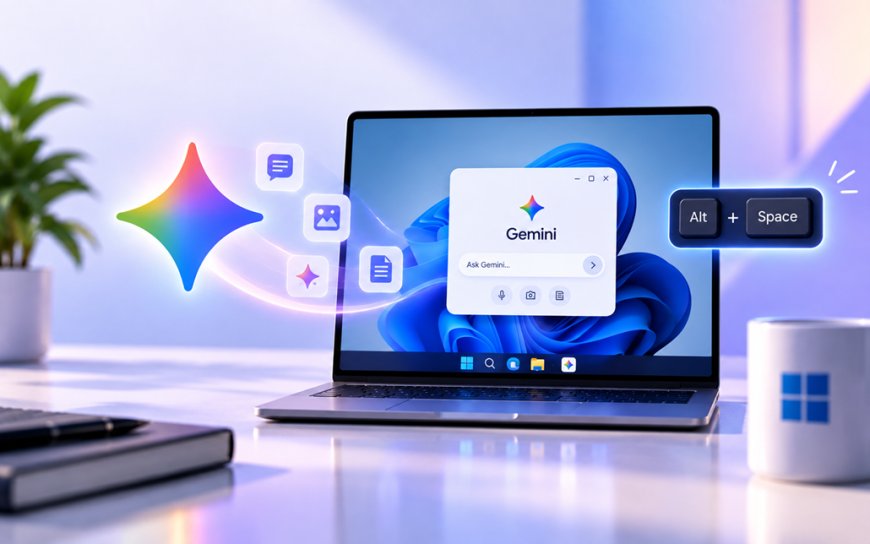
Hit Alt and Space on a Windows PC now and, if you've installed Google's new app, Gemini pops up right over whatever you were doing. No browser tab, no switching windows — just a chat box floating on top of your spreadsheet or your half-written email.
Google shipped a native Gemini desktop app for Windows on September 10, ending years of the assistant living only inside a browser tab or a phone. It runs on both Windows 10 and 11, works on regular Intel/AMD chips as well as the newer ARM64 laptops (the battery-friendly chip architecture used in devices like the Snapdragon-powered Windows machines), and is free to download from Google's own site.
What the app actually does
The headline feature is that Alt+Space shortcut, which you can remap if you don't like the default. Press it mid-task and Gemini appears as a small overlay, ready to fact-check a paragraph, rewrite an email, or throw out three headline ideas for a slide deck — without you leaving the document you're working in.
It also reaches into Google's own ecosystem. If you use Gmail or Google Drive, you can ask the app to pull details from a thread or a doc and turn them into a summary, instead of digging through folders yourself. Google is also bundling in its media tools directly on the desktop: Nano Banana for generating images and Gemini Omni for short video clips, both accessible from the same window.
The app is designed to work quietly alongside the tools people already use, staying "lightweight and quiet" so it doesn't slow down the PC it's running on — at least according to Google's own framing of the release.
A few things worth knowing if you're deciding whether to install it:
- It's a separate download, not a Windows feature bundled by Microsoft — you get it from Google, not the Microsoft Store.
- The free tier gives access to the base assistant; deeper features and higher usage limits sit behind Google's paid Gemini plans.
- Anything you type into the overlay is processed the same way as a regular Gemini chat, so treat it like any other cloud AI tool — not something that stays purely local to your machine.
Why this matters for a Windows machine already crowded with AI
Microsoft has spent two years wiring Copilot into every corner of Windows 11, from the taskbar to right-click menus. Gemini landing as a rival overlay on the same OS means Windows users now get a real choice of assistant sitting one keyboard shortcut away, rather than whatever's baked in by default. It's also a sign Google isn't content to let Gemini live only where Google already owns the platform — phones, Chrome, Workspace — and is willing to compete directly on Microsoft's home turf.
Windows itself has been having a rough patch this month on the stability side — Microsoft pushed an emergency update to fix RDP and GPU crashes just days before this launch. A new always-on-top AI overlay running on top of that same OS is one more piece of software with system-level access, which is worth keeping in mind if you're already dealing with a shaky machine.
The India angle
India has more Windows laptops in daily use than almost any other market, in homes, colleges, and the small offices that make up a huge share of the country's white-collar workforce. A free AI assistant that sits over any app rather than requiring a subscription or a browser detour lowers the bar for people who've never directly used ChatGPT or Gemini before, especially outside the metros where a lighter, faster tool matters on older hardware.
There's a data question underneath that, too. Every prompt typed into that overlay, including anything pulled from Gmail or a Drive file, leaves the device and goes to Google's servers. Under India's Digital Personal Data Protection (DPDP) Act, that counts as personal data processing, and Indian users deserve to know what's being sent before they start feeding it their work documents. Google's Gemini already discloses this for its browser and mobile versions, but a tool that now lives permanently in your taskbar makes that data flow easier to forget about.
For Indian developers and IT teams rolling this out on office machines, the practical move is to check what Gemini's desktop app can see by default versus what needs explicit permission, and to decide whether that overlay belongs on machines handling client or financial data at all.
Assistants like this are heading toward becoming as ordinary as the taskbar clock. The real story over the next year won't be whether Gemini or Copilot wins the keyboard shortcut war — it'll be whether either company gives users a clear, honest answer about where their screen's contents actually go once they hit Alt+Space.
What's Your Reaction?
 Like
0
Like
0
 Dislike
0
Dislike
0
 Love
0
Love
0
 Funny
0
Funny
0
 Angry
0
Angry
0
 Sad
0
Sad
0
 Wow
0
Wow
0