






































Passkeys Explained: How They Work and Why They're Replacing Passwords
Passkeys use fingerprints and face scans instead of passwords, making phishing and OTP fraud far harder — here's how they work in India.
Open your banking app and it probably asks for your face or your fingerprint before it asks for a password. That's not just a shortcut — it's a preview of where logins are headed entirely. Passkeys are the technology quietly replacing the password on your phone, your laptop, and increasingly your bank account, and most people using them still don't know what's actually happening under the hood.
So what is a passkey, really?
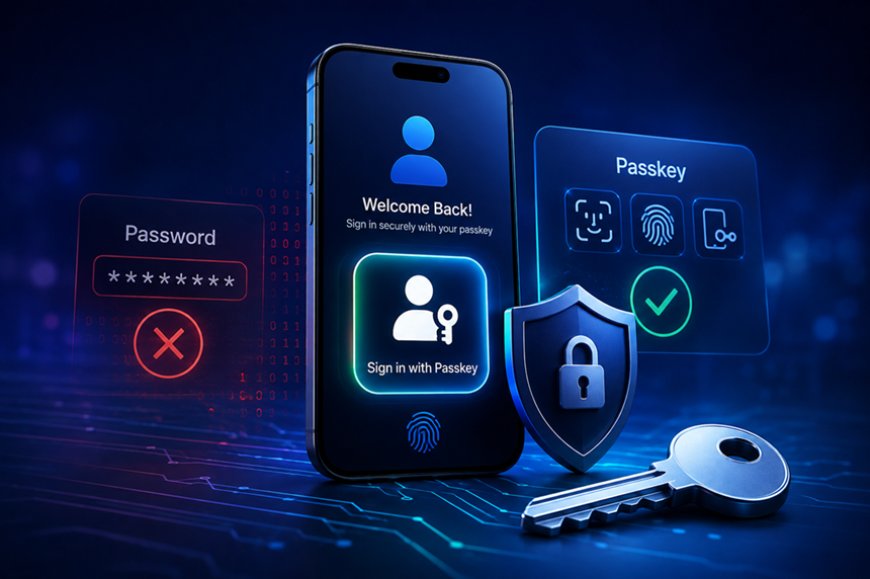
A passkey is a login credential that lives on your device instead of in your head. Instead of typing a password that both you and the website have to remember (and that a hacker only needs to steal once), your phone or laptop generates a matched pair of digital keys — one public, one private — the moment you sign up for passkey login on a service.
The public key gets stored on the company's server. Think of it like a padlock they keep on file. The private key never leaves your device — it's more like the one physical key that opens that padlock, and it's protected by your fingerprint, face scan, or device PIN. When you log in, the website sends a challenge, your device unlocks the private key with your biometric, signs the challenge, and sends back proof that you have the right key — without ever transmitting a password that could be intercepted, guessed, or leaked in a data breach.
How it actually works when you log in
The technical name for this is public-key cryptography, a decades-old method used to secure everything from HTTPS websites to encrypted messaging. Applied to logins, the process looks roughly like this:
- You choose "sign in with passkey" instead of typing a password.
- The website sends a one-time cryptographic challenge to your device.
- Your phone or laptop asks you to confirm with Face ID, a fingerprint, or your screen lock PIN.
- Once confirmed, your device signs the challenge with your private key and sends the signed response back.
- The website checks that signature against the public key it has on file. Match, and you're in.
None of this requires you to remember anything, and nothing secret ever crosses the internet. That single design choice is what makes passkeys fundamentally different from even a strong, unique password.
Why this actually matters for security
Passwords fail in a few predictable ways: people reuse them across sites, phishing pages trick people into typing them into fake login forms, and leaked password databases get traded and cracked for years afterward. Passkeys are designed to close all three problems at once, because there's simply no password to reuse, phish, or leak. A fake login page can't extract your private key because it was never designed to be typed anywhere — it's cryptographically tied to the real website's exact domain.
If there's nothing to type, there's nothing to steal. That's the entire premise passkeys are built on.
This phishing-resistance matters more than it might sound. Attackers have gotten remarkably good at building convincing fake pages — the same playbook used in crypto wallet-draining phishing kits relies almost entirely on tricking someone into entering a secret somewhere it shouldn't go. Passkeys don't give the attacker that opening in the first place.
Where India fits into the passkey shift
This isn't a distant Silicon Valley concept for Indian users — it's already showing up in apps most of the country uses daily. Google rolled out passkey support for Google accounts in India alongside its global launch, WhatsApp has been testing passkey login for backups, and several Indian banking and fintech apps have started offering biometric-based login that works on the same underlying principle, even before formally branding it as a "passkey." For a country where UPI and mobile banking fraud driven by phishing and OTP-theft is a genuine, widely reported problem, a login method that can't be phished by a fake SMS or a spoofed bank page is a meaningfully bigger deal than it is in markets with less mobile-first digital payment use.
There's also a regulatory angle worth knowing about: India's Digital Personal Data Protection (DPDP) Act pushes companies handling personal data to adopt "reasonable security safeguards." Passkeys, by removing a whole category of credential-theft risk, are one of the more concrete technical steps a service can point to when demonstrating it's taking that obligation seriously — which is part of why banks and fintechs here have been quicker adopters than you might expect.
Should you actually switch?
Yes, wherever it's offered, and it's easier than people assume. Most major platforms — Google, Apple, Microsoft, and a growing list of Indian apps — let you add a passkey in the account security settings without removing your existing password immediately, so there's no risk of getting locked out while you try it. The one habit worth building: passkeys sync through your device's cloud backup (Google Password Manager, iCloud Keychain, and similar), so losing your phone doesn't mean losing access, provided that backup is switched on. Check that before you need it, not after.
The password isn't gone yet, and won't be for a while — plenty of older systems simply don't support the newer standard. But the direction is clear enough that it's worth treating every "set up a passkey" prompt you see from here on as one worth actually saying yes to.
What's Your Reaction?
 Like
1
Like
1
 Dislike
0
Dislike
0
 Love
1
Love
1
 Funny
0
Funny
0
 Angry
0
Angry
0
 Sad
0
Sad
0
 Wow
0
Wow
0