








































Windows Server Patch Breaks Remote Desktop, Microsoft Rushes Fix
Microsoft's September 2026 Windows Server update broke Remote Desktop Services on 2019, 2022 and 2025 — here's what IT admins need to do.
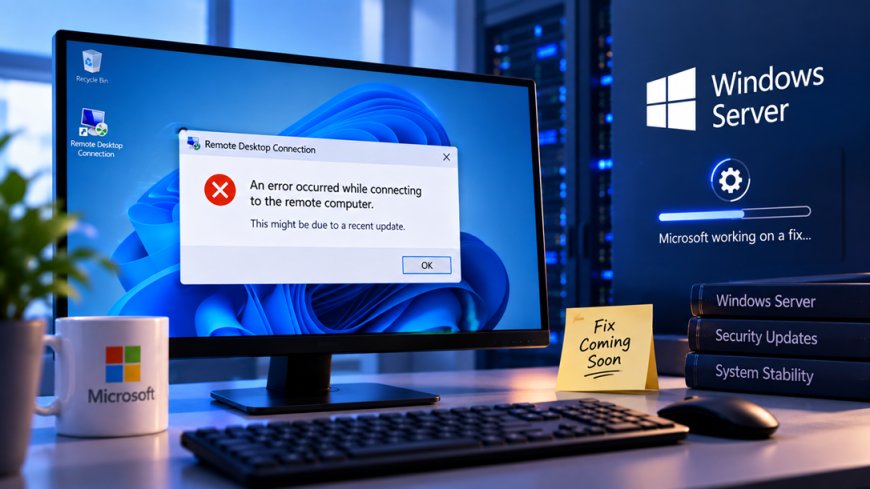
Log in to a Windows Server box a few hours after patching it this month, and there's a decent chance Remote Desktop just won't let you back in. Sessions hang, disconnects stop working, and new connection attempts time out instead of failing fast — which for a lot of IT teams means one thing: a scheduled maintenance window that turns into an unplanned trip to the data center.
What actually broke
Microsoft's September 2026 Patch Tuesday rollout — the one we covered here for fixing a record 974 vulnerabilities, two of them already being exploited — has a nasty side effect on Windows Server 2019, 2022, and 2025. The cumulative update tied to that release (KB5122876 on Server 2019, with equivalent builds on the newer versions) doesn't break Remote Desktop Services (RDS, the feature that lets you log into a Windows machine remotely, similar to how a virtual desktop or a screen-sharing session works) right away. Servers run fine for a few hours, then RDP sessions start refusing to disconnect cleanly, and fresh login attempts just hang.
For anyone running terminal servers, remote workstations, or virtual desktop infrastructure (VDI, the setup where employees log into a shared server instead of a physical PC), that's not a cosmetic bug. It's the thing your helpdesk gets paged for at 2 a.m.
Why you can't just roll it back
The obvious fix — uninstall the update — runs straight into the reason the update existed in the first place. This particular Patch Tuesday closed two zero-days (security holes that were already being actively exploited before a fix existed) alongside hundreds of other flaws. Pulling the patch to restore RDS means reopening those holes on a production server, which for most compliance-conscious organizations isn't a real option.
Security patches and system stability used to be two separate conversations. Increasingly, they're the same conversation, and IT teams don't get to pick just one.
Microsoft has since shipped out-of-band (OOB) updates — smaller, targeted patches released outside the normal monthly cycle — specifically to fix the RDS regression without touching the security fixes underneath. Installing the correct OOB update for your server version is the recommended path, not the registry workarounds or Known Issue Rollback (KIR) tooling that circulated in the first few days.
Why this matters beyond one bad patch
India runs an outsized share of the world's Windows Server estate on someone else's behalf. TCS, Infosys, HCLTech, Wipro, and Tech Mahindra collectively manage enterprise infrastructure for clients across the US, Europe, and the Middle East, much of it exactly this kind of RDS-dependent setup — terminal servers used for remote access, legacy line-of-business apps, and virtual desktops for distributed teams. A patch that quietly breaks RDS a few hours after deployment is the sort of thing that shows up as a support ticket flood for an Indian NOC team long after the US-based admin who approved the patch has gone to bed.
It also lands at an awkward moment for India's own compliance push. Under the DPDP Act and sector rules from RBI for banks and NBFCs, organizations are expected to patch known vulnerabilities promptly rather than sit on unpatched systems. A bug like this puts admins in a genuine bind: patch on schedule and risk an RDS outage, or delay and risk a compliance gap on a vulnerability that's already being exploited.
A few things worth doing if you manage affected servers:
- Check which OOB update applies to your specific Windows Server version — 2019, 2022, and 2025 each got a separate fix.
- Don't uninstall the original cumulative update as a workaround; it removes the zero-day fixes along with everything else.
- If you can't patch immediately, watch for the specific symptom pattern — RDS working fine for a few hours, then sessions failing to disconnect — so you can catch it before it snowballs into a full outage.
- Loop in whichever team handles VDI or terminal server access specifically, since this hits harder there than on a typical desktop fleet.
The bigger pattern here isn't really about one buggy KB. It's that patch cadence has gotten fast enough, and the vulnerabilities urgent enough, that testing windows are shrinking right when the cost of a bad patch is going up. For IT teams — in India managing infrastructure for the world, or anywhere else — that trade-off isn't going away with the next Patch Tuesday.
What's Your Reaction?
 Like
0
Like
0
 Dislike
0
Dislike
0
 Love
0
Love
0
 Funny
0
Funny
0
 Angry
0
Angry
0
 Sad
0
Sad
0
 Wow
0
Wow
0