




























How Wireless Charging Actually Works (And Why It's Slower)
Wireless charging feels slow because induction wastes energy as heat. Here's how it works, and what to check before buying a pad in India.
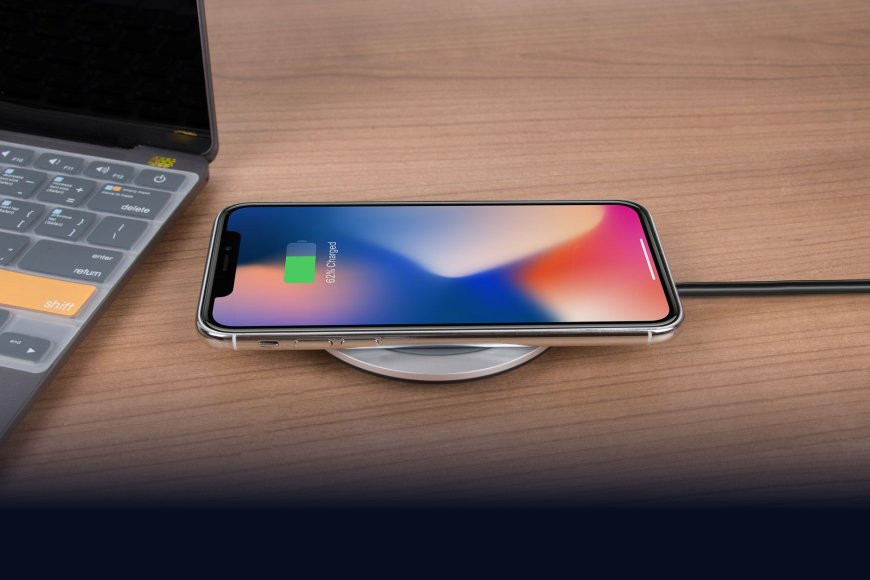
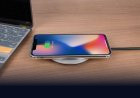
Put your phone on a charging pad and glance at the battery percentage ten minutes later, then do the same thing with a cable. The cable wins, almost every time. That's not a faulty pad or a weak phone — it's physics getting in the way of convenience, and once you understand why, you'll stop expecting wireless charging to be something it was never designed to be.
The coil trick: how power jumps without a wire
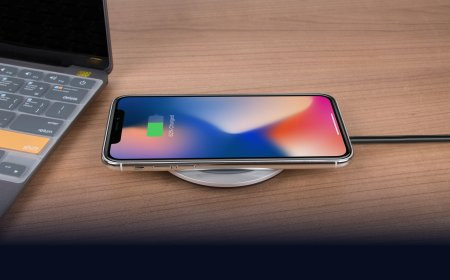
Wireless charging relies on a principle called electromagnetic induction, which sounds complicated but isn't. The charging pad has a coil of wire that gets fed an alternating current (AC) — electricity that keeps switching direction many times a second. That switching current creates a magnetic field around the coil. Your phone has a matching coil inside it, and when you set the phone on the pad, that field induces a current in the phone's coil too, without any physical contact between the two.
The phone then has to convert that incoming current back into direct current (DC), the steady one-directional flow that lithium-ion batteries actually store. Every one of those conversions — AC to magnetic field, field to AC again in the phone, AC to DC — loses a little energy as heat. That's the whole story in one sentence: wireless charging works by shuttling energy through a magnetic field instead of a wire, and every handoff along the way leaks some power.
Why your pad feels warm and your battery fills slower
A good cable and charger combo can push power with well over 90% efficiency. A wireless setup typically loses 30-40% of the energy to heat and misalignment, which is why the back of your phone gets noticeably warm on a pad and stays cool on a cable. Heat is also the enemy of battery longevity, so phones throttle wireless charging speed specifically to avoid cooking the battery — which is the other reason it feels slower even when the pad is rated for similar wattage as your charger.
Alignment matters more than people realize. The coils need to sit roughly on top of each other for the field to couple efficiently; a phone sitting even a centimeter off-center on a pad can lose a meaningful chunk of charging speed, which is exactly the problem Apple's MagSafe system and the newer Qi2 standard solve with embedded magnets that snap the phone into perfect position automatically.
Wireless charging was never built to be faster than a cable — it was built to make charging something you don't have to think about.
The India angle: certification, unboxed chargers, and what you're actually paying for
If you've bought a phone in India in the last couple of years, you've probably noticed the charger missing from the box — Apple and several Android brands now sell phones without one, officially citing e-waste reduction, which pushes buyers toward separate wireless pads as an add-on purchase. That makes it worth knowing what you're buying: any charger or power bank sold legally in India needs BIS (Bureau of Indian Standards) certification, a safety and quality approval mark, and unbranded pads sold cheap online without it are a real fire and battery-damage risk, not just a compliance technicality.
Qi2-certified pads with magnetic alignment are only beginning to show up in Indian retail at a premium over basic Qi pads, so most budget and mid-range phone buyers in the country are still using older, less efficient Qi 1.x charging — another reason the "why is this so slow" complaint is common here specifically. If you're shopping for one, a BIS-marked, Qi-certified pad from a known brand is worth the extra few hundred rupees over an uncertified import.
Getting the most out of a wireless pad
- Remove thick cases — anything beyond 3-5mm of case material can weaken the magnetic coupling and slow charging noticeably.
- Center the phone on the coil, or use a magnetic (MagSafe/Qi2) pad that aligns it for you.
- Avoid using the phone heavily while it's on the pad — gaming or video calls generate heat that competes with charging heat and can trigger the phone to throttle speed further.
- Don't expect pad-rated wattage to match real-world speed; a "15W" pad rarely delivers a true 15W to the battery once losses are accounted for.
None of this makes wireless charging pointless — it's genuinely useful for topping up overnight on a nightstand, or keeping a phone charged at a desk without plugging and unplugging a cable all day. For genuinely fast charging, though, a good cable and a proper charger still beats any pad on the market. Pick wireless for convenience, and keep a cable around for the days you're actually in a hurry.
What's Your Reaction?
 Like
0
 Dislike
0
 Love
0
 Funny
0
 Angry
0
 Sad
0
 Wow
0